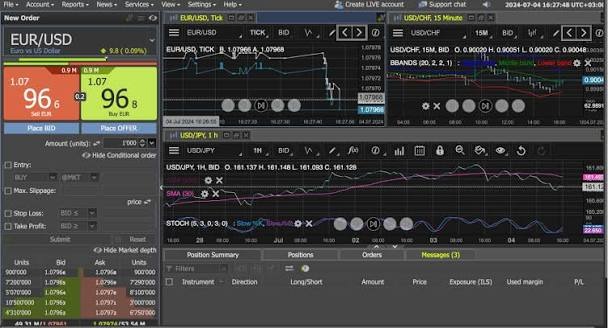
Investing by phone is now a common way to enter the stock market. An Online Trading App can let an investor view prices, place trades, track funds, set alerts, and read key data in one place. A good choice should be easy to use, clear on fees, secure, and backed by a SEBI-registered broker.
An Investment App may also give access to mutual funds, ETFs, bonds, IPOs, and SIPs. This can help people keep many types of assets in one view. The right set of tools depends on the goal, time frame, risk level, and type of trade or plan.
Key Features to Check
- Market Data: The app should show price, volume, charts, index moves, and basic stock data in a clear way. A watchlist can help track chosen shares or funds. Price alerts can tell an investor when a set level is hit.
How to Pick a Platform
Step 1: Verify the Broker: Check the broker name and status on official SEBI or stock exchange pages. Do not rely only on ads, social posts, or links sent by unknown people.
Step 2: Read the Fee Sheet: Check brokerage, demat fees, annual fees, DP charges, taxes, and any fee tied to a trade or service. Costs can vary by product and type of order.
Step 3: Match Tools to Your Use: A trader may need fast charts, watchlists, alerts, and order tools. A long-term investor may care about SIPs, fund access, reports, and a clean portfolio view.
Step 4: Test the App Flow: Check search, order entry, reports, help, and support. Key tasks should take only a few clear steps. The app should also show the status of a placed, changed, or cut order.
Step 5: Check Account Control: Also, check if the app gives clear help when a trade fails, an order stays open, or funds do not show on time. Fast access to support can matter when an account issue needs prompt action.
Look for secure login, device checks, alerts, nominee tools, and easy access to statements. Review demat and trade records often. If a debit or trade looks wrong, contact the broker or DP at once. CDSL advises investors to protect login details and OTPs and review transaction statements for unauthorised activity.
Why Smart Tools Matter
Smart tools do not make a trade safe or assure a return. Their role is to make data, action, and review easier. A chart can aid a trend check. An alert can flag a set price. A report can show cost and gain. A SIP tool can help keep a plan on track. Each feature should support a clear use, not push a person to trade often.
Conclusion
A useful online trading platform should combine simple trade tools, clear data, fair fee details, portfolio views, reports, and strong safety steps. Before opening or using an account, verify the broker, read the fee sheet, check the app source, and match the tools to your plan. Smart features can make market access simple, but each choice still needs care, risk checks, and a clear goal.